
Article Template



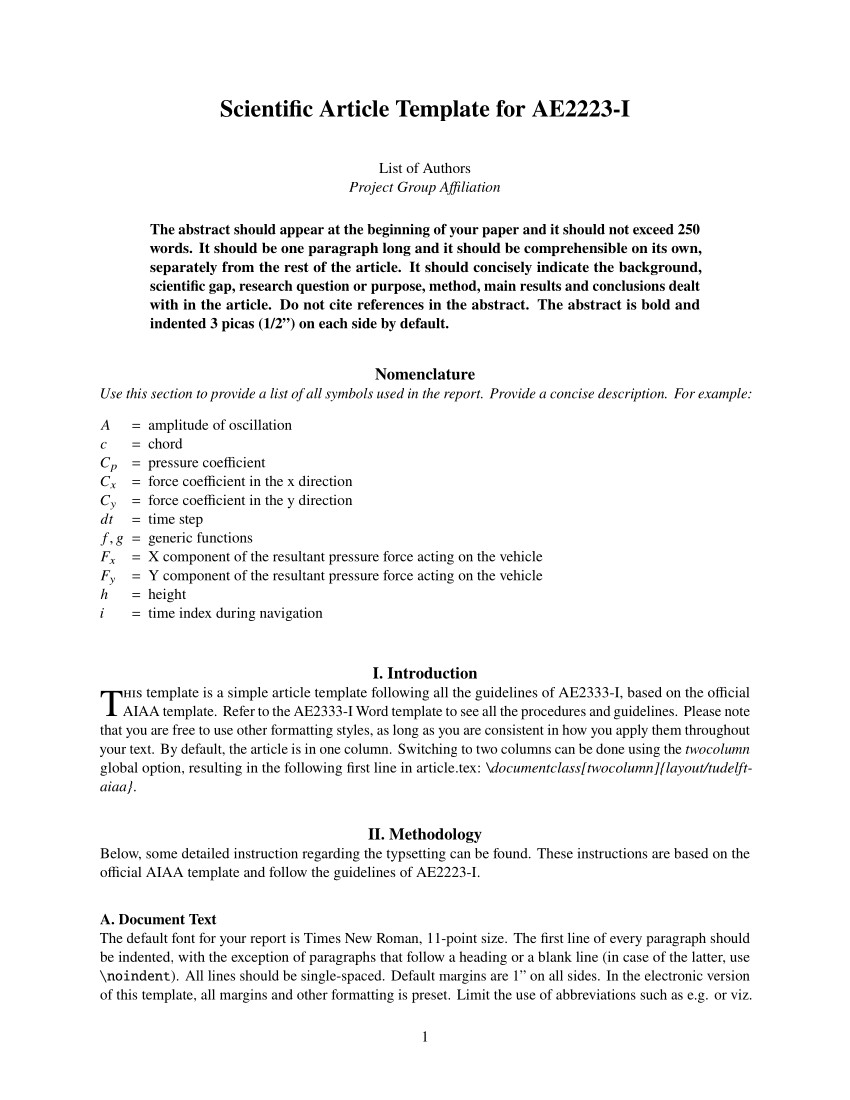
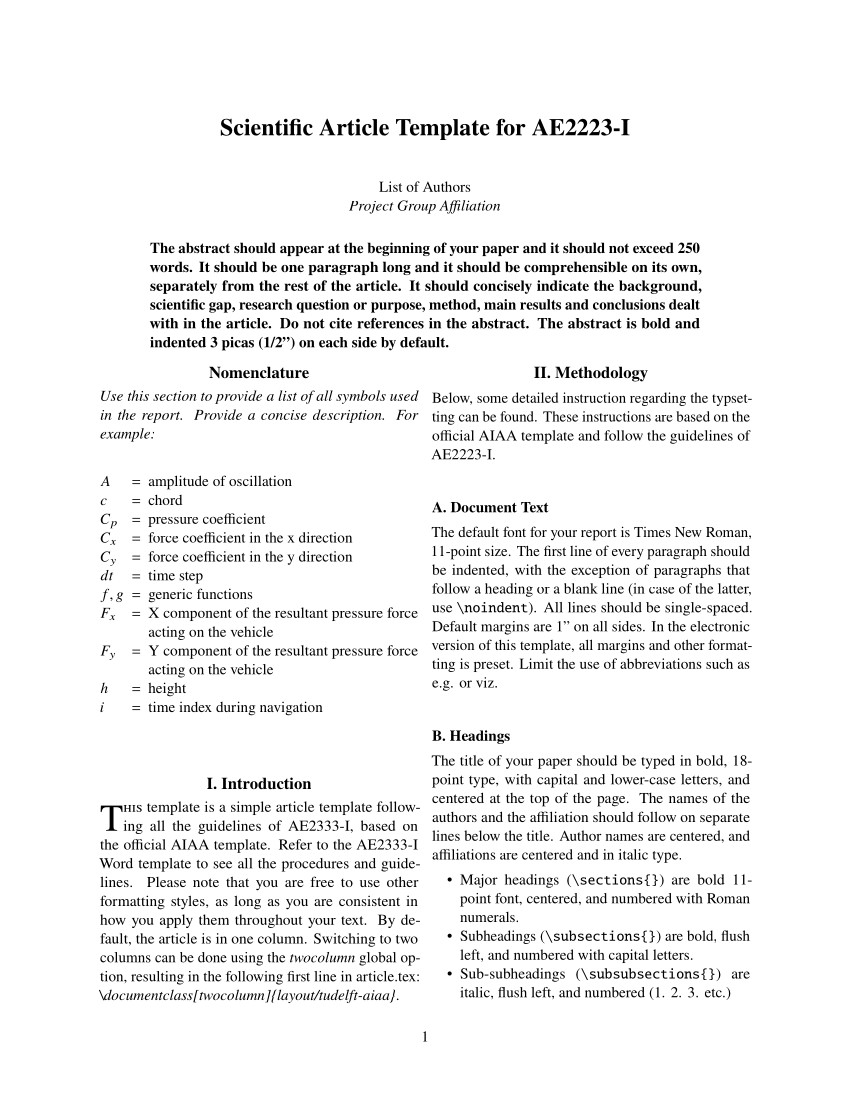
This template aimed to simplify and improve the template provided in the course AE2333-I. Though it might still be useful for that course, the template is now intended to be a simple article template that is based on the official AIAA template. The following three main design principles apply:
- Simplicity First: An organised class file with an option to switch to two columns easily;
- Effortless: A careful selection of common packages to get started immediately;
- Complete: Ready-to-go when it comes to the structure + An extensive sample bibliography.
This template is created for pdfLaTeX, but it is also compatible with XeLaTeX or LuaLaTeX. Natbib is used for the bibliography with as backend BibTeX. If you would like to use it on Overleaf, click the badge above to get started immediately.
Any questions?
Visit the FAQ to see if that answers your question. For unanswered questions, suggestions or issues related to the template or this documentation, feel free to contact me.
Structure of the Template
As an article can become quite a lengthy document, the main sections (such as the introduction and conclusion) are separated into different files for convenience. All these files are inserted in the main file, article.tex, using the \input{filename} command. The abstract, nomenclature, acknowledgment and appendix can be found in the main file instead.
The bibliography is added using \bibliography{article.bib}, which uses the file article.bib. If you would like to change the default bibliography file, change the command accordingly, which can be found in the main file. See here for more detail about the bibliography.
Document Class
The document class, which can be found in layout/tudelft-aiaa.cls, is based on the article class by AIAA. The article is one column by default, but also supports two columns with the twocolumn option. To change the default behavior, provide the option as parameter to the \documentclass{} command as seen below. Note that the option is case-sensitive.
\documentclass[twocolumn,<option2>,...]{layout/tudelft-aiaa}Bibliography
In the following sections, the most common entry types and (required/optional) fields per entry type are provided. Private communication or personal websites may officially only be incorporated in the main text or appear as footnotes. The DOI (digital object identifier) should always be given if it is available.
The optional fields outside the brackets are almost always required. Please refer to article.bib for examples. Make sure the actual output corresponds with the guidelines.
Articles
@article
Required fields:authortitleyearjournal
Optional fields:volumenumberpagesdoi(urlnote)
Books
@inbook
Required fields:author/editortitleyearpublisher
Optional fields:addresspages/chapter(seriesdoiurlnote)@book
Required fields:author/editortitleyearpublisher
Optional fields:address(seriesdoiurlnote)
Proceedings
@inproceedings
Required fields:authortitleyearbooktitlepages
Optional fields:publisher/organizationaddress(volumeseriesdoiurlnote)@proceedings
Required fields:titleyear
Optional fields:editorpublisher/organizationaddress(volumenumberseriesdoiurlnote)
Reports, Theses, and Individual Papers
@report
Required fields:authortitleyear
Optional fields:numberinstitutionaddress(doiurlnote)@mastersthesis
Required fields:authortitleyearschool
Optional fields:address(doiurlnote)@phdthesis
Required fields:authortitleyearschool
Optional fields:address(doiurlnote)